Get invoices paid without the awkward calls
Invoicing, quotes, and a calendar built for tradespeople — plus an optional AI toolkit that scans receipts, drafts customer emails, and helps you schedule the next job. Automatic follow-ups mean you stop chasing payments by phone.
What it looks like
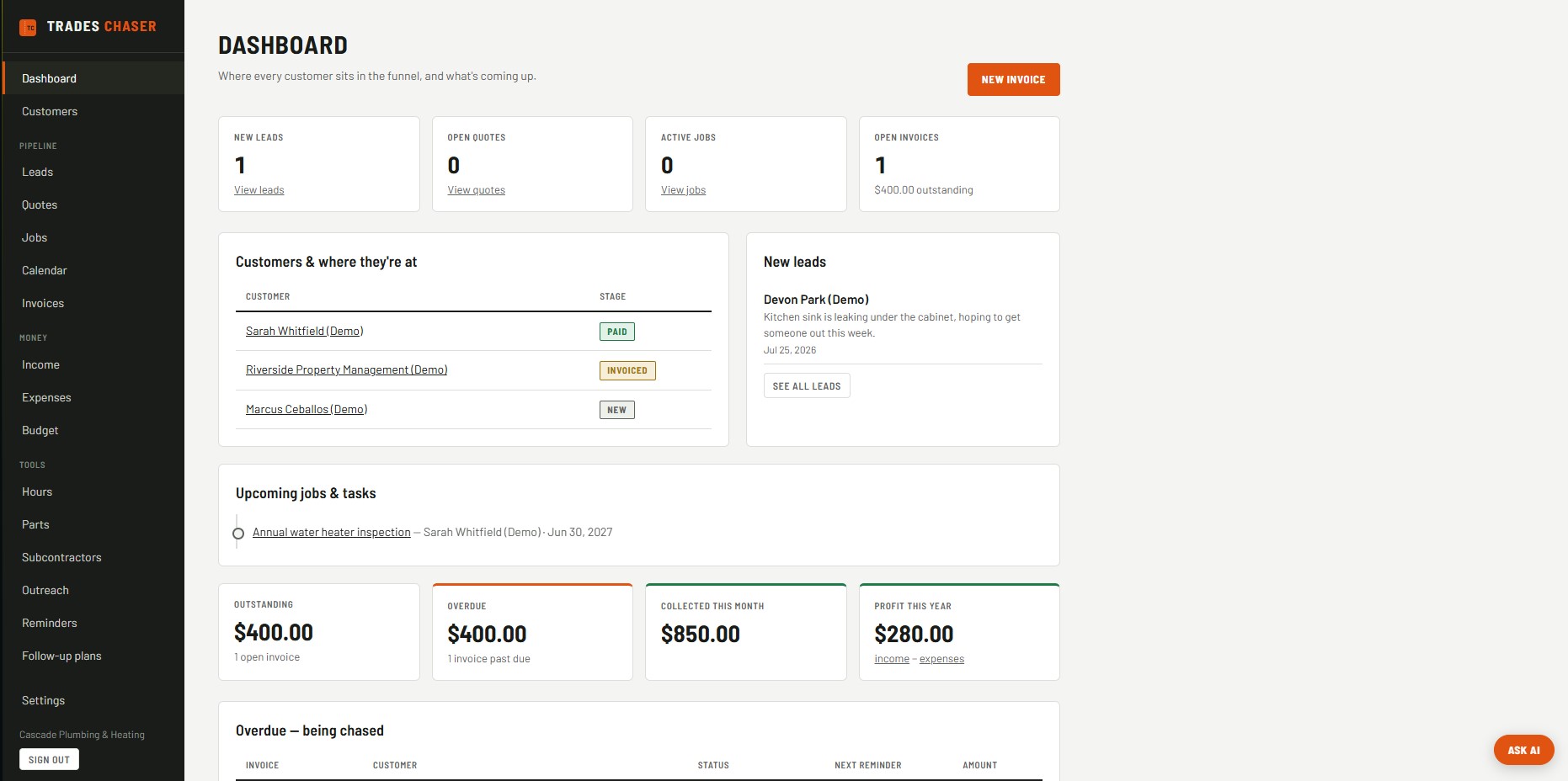
Dashboard — leads, quotes, jobs, and what's outstanding, all in one view.
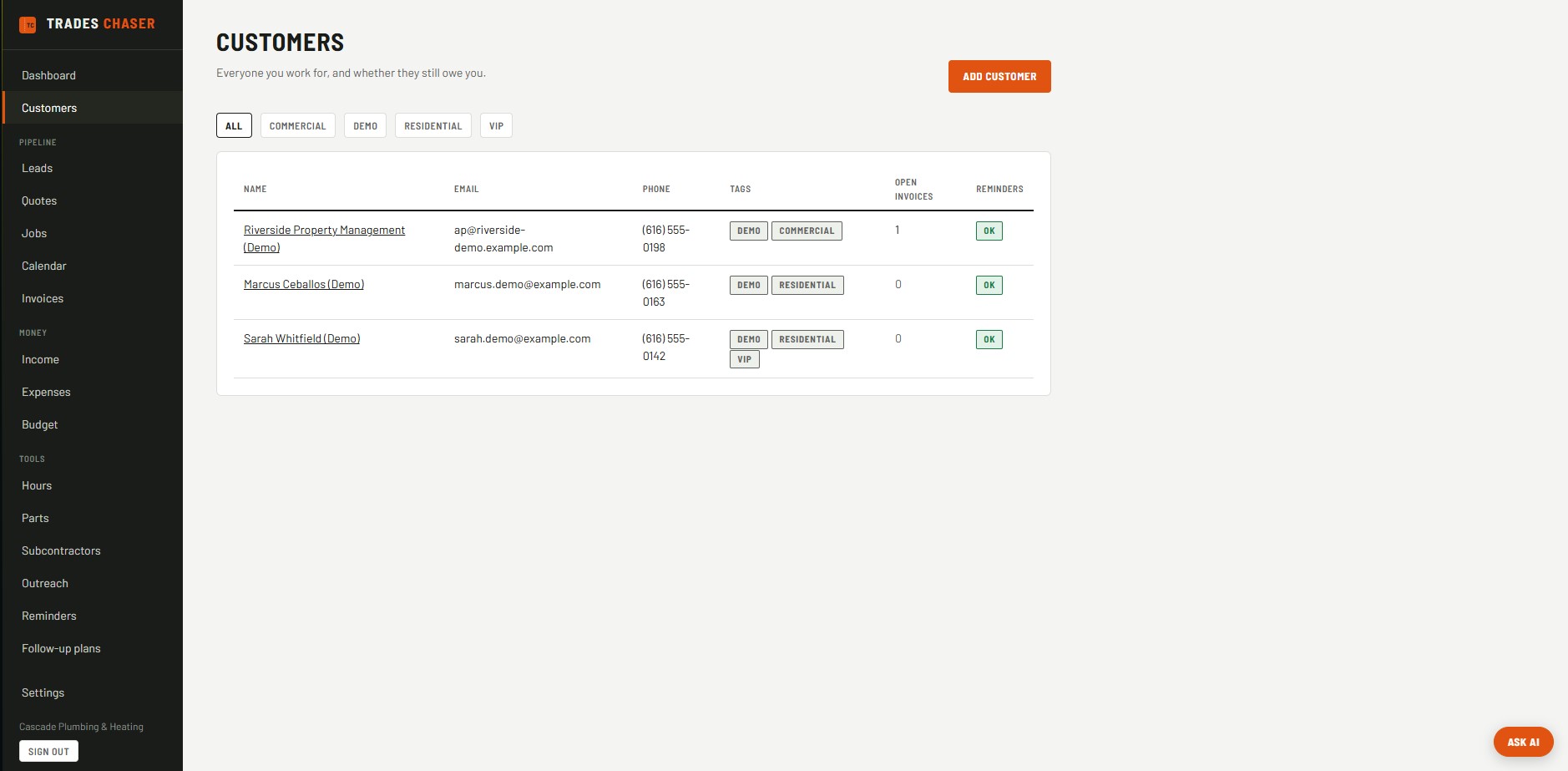
Customers — tag by segment, see who still owes you at a glance.
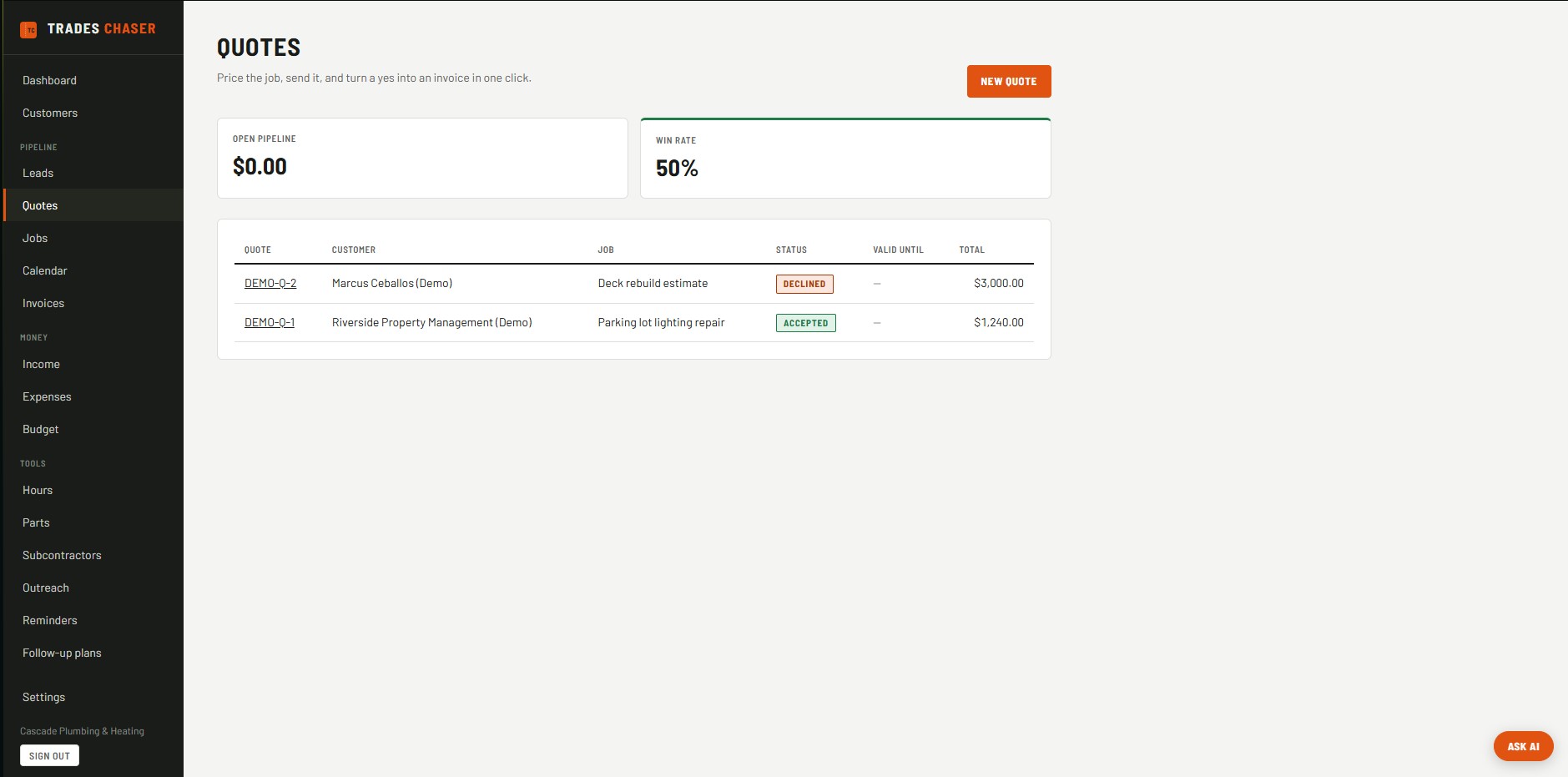
Quotes — track your open pipeline and win rate, then turn a yes into an invoice.
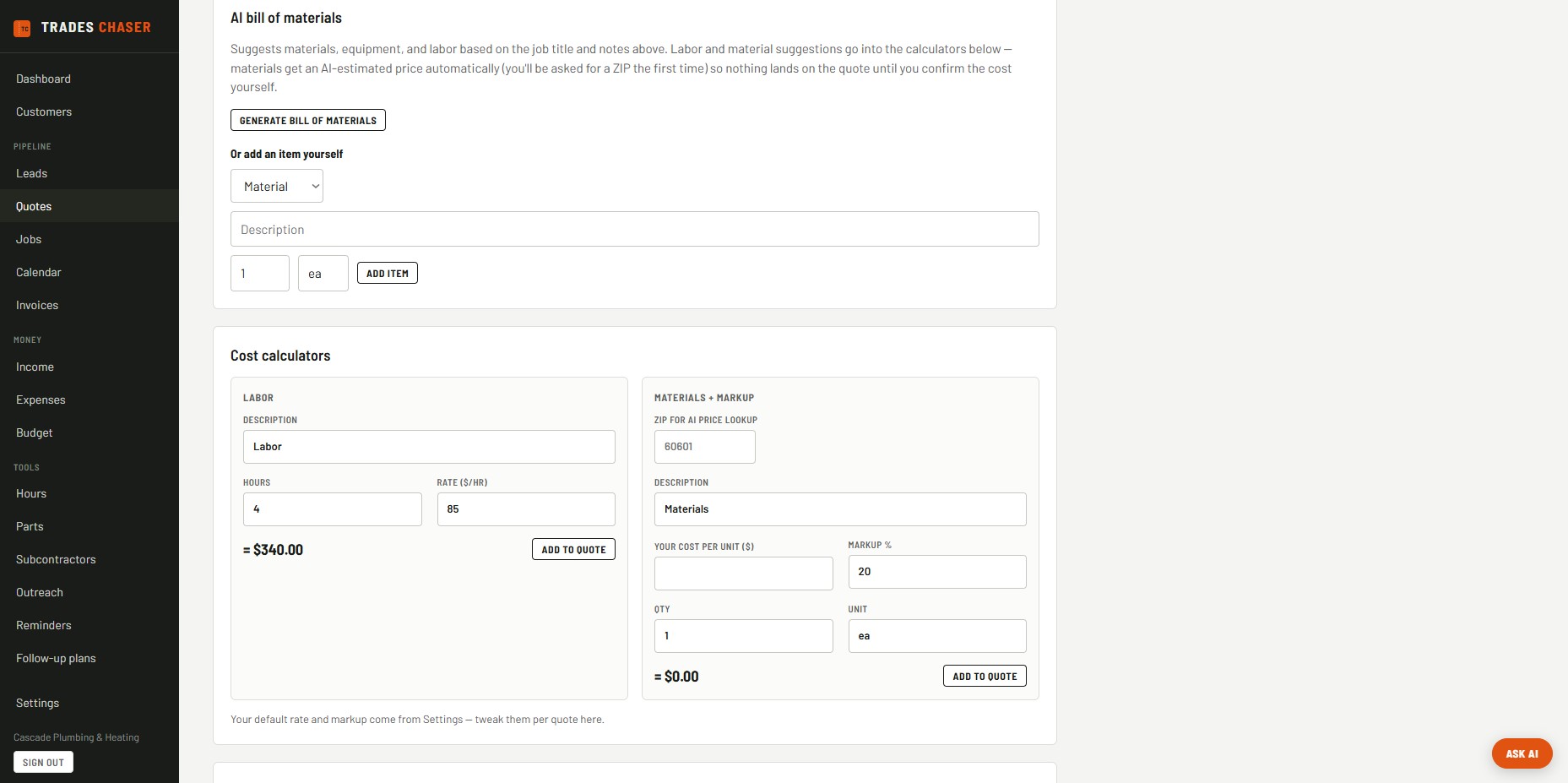
Quote builder — AI bill of materials, plus labor and materials calculators using your real rates.
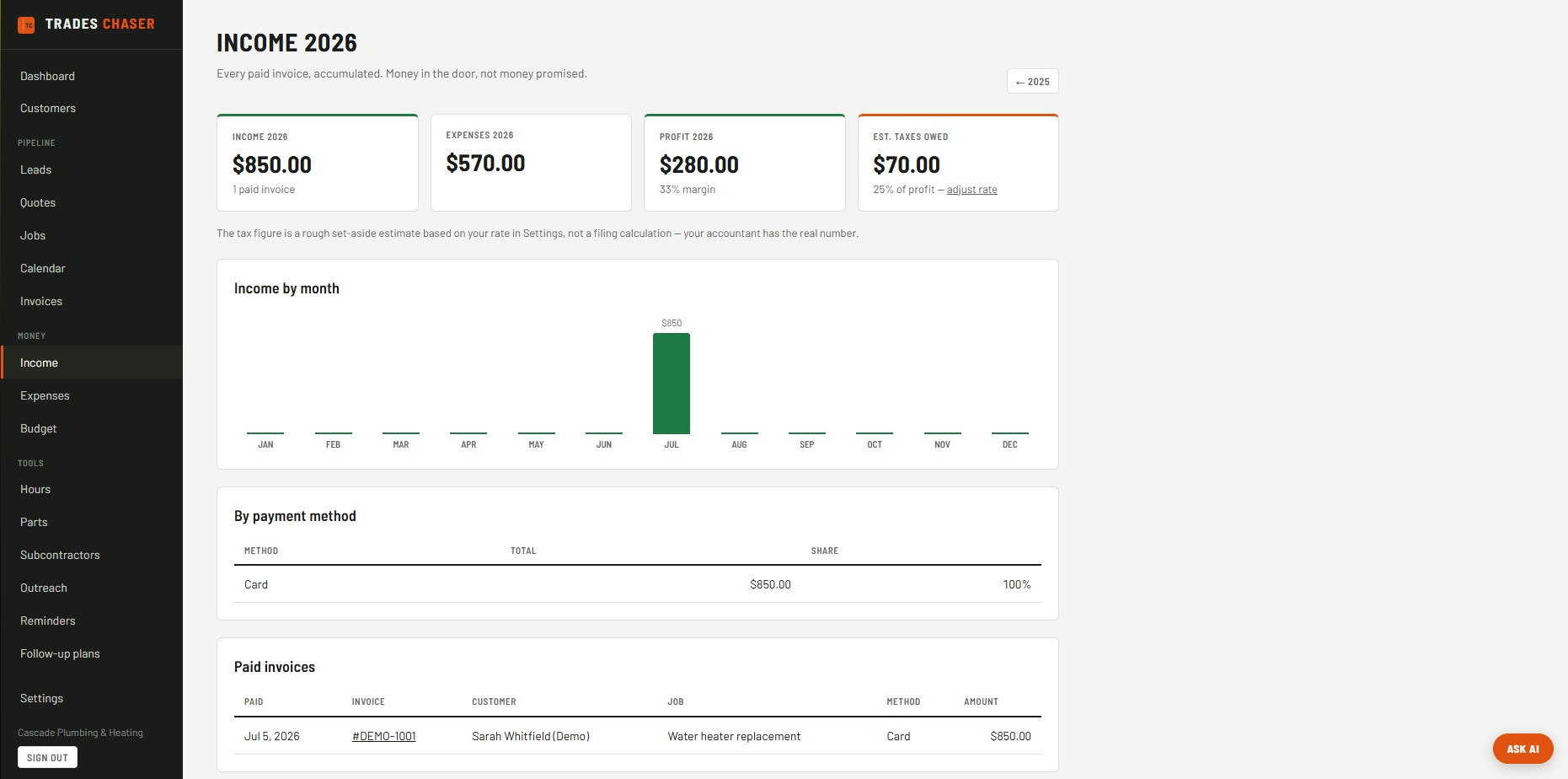
Income — every paid invoice accumulated by month, with profit and a tax set-aside estimate.
Built for how trades actually work
Not just another generic invoicing app — features shaped around real jobs.
AI bill of materials
Type a job title, hit generate, and get a suggested labor/materials/equipment list pulled straight into your quote calculators — nothing lands on the quote at a $0 price until you set the real cost.
Team accounts
Invite your crew to share one account — everyone sees the same customers, jobs, and invoices instead of juggling separate logins. 2 seats included on Base, 3 on Enhanced, more available as add-on packs.
Subcontractor management
Keep a book of the subs you trust, send a bid request with no login required on their end, and log an accepted bid straight into your job costs — no re-typing numbers from a text message.
Progress & milestone invoicing
Break a big job into milestones or collect an upfront deposit — each one becomes its own invoice as the work actually gets done, instead of waiting until the whole job wraps to get paid anything.
Take payment your way
Add PayPal, Venmo, Zelle, Cash App, Stripe, Square, or a bank transfer — customers see exactly how to pay you on every invoice and the branded PDF.
Budget tracking
Set an annual cap per spending category and watch it fill up against what you've actually spent, so you catch an over-budget category in month three, not at tax time.
Digital signatures & customer portal
Customers accept quotes with a real signature — no login required for them. An acceptance turns straight into a job and invoice on your end.
Referral & maintenance tracking
See who referred who, and get reminded automatically when a customer is due for a follow-up service call.
Install it like an app
Add Trades Chaser to your phone's home screen straight from the browser — it opens full-screen like a native app, with no app store, download, or update to manage.
One-click demo data
Load a full sample business — customers, invoices, quotes in every status — from Settings, so you can explore the app before touching your real numbers. Clear it just as easily.
How it works
Set your rate once
Your hourly labor rate and materials markup live in Settings, so every quote you build after that uses your real numbers automatically.
Build a quote in minutes
Use the AI bill of materials to suggest a labor/materials/equipment list, adjust the numbers, and send it out for a digital signature.
Turn it into an invoice
An accepted quote becomes a job and invoice with one click — no re-typing anything.
Get paid without the phone calls
Automatic follow-ups start the moment an invoice goes overdue. Dashboard and Budget show exactly what's outstanding and what's left in each category.
Everything you need to run the business side
Base plan
- Customers, jobs & invoices
- Automatic follow-up sequences
- Quotes & calendar
- Income, expenses & budget tracking
- Hour tracking for you and your crew
- Team accounts — share one account with your crew
- Subcontractor book of business & bid requests
- Progress & milestone invoicing with deposits
- Multiple payment methods on every invoice
- Custom branding — your logo and accent color on every invoice and quote
- Installable as an app — no app store required
Enhanced plan adds AI
- Everything in Base
- AI receipt scanning — photo in, expense logged
- AI business assistant sidebar
- AI-drafted customer check-in emails
- AI part identification & price comparison
- AI-assisted job scheduling from quoted hours
Simple pricing
Start free, no card. Flat pricing however many people are on the account — never per seat. Yearly billing saves 10%.
New customers: first 3 months at our original pricing — $10/mo Base or $30/mo Enhanced. Offer ends 1 February 2027.
The rate you join at is the rate you keep
Trades Chaser prices went up on 1 August 2026 — and every account that already existed stayed on what they were paying. That's the rule, not a one-off: if we raise prices again, you keep the standard rate you signed up on for as long as you stay subscribed. No annual "adjustments," no being moved onto a new plan because your old one got retired. (Introductory offers are the one exception, and they always say up front how long they last — the 3-month intro below reverts to $39/$79 after three months.)
Frequently asked questions
Do I need a credit card to start?
No. The free plan needs no card at all and doesn't expire — it covers 3 customers and 5 invoices a month. The 14-day Base trial doesn't need a card either. You only enter payment details when you decide to subscribe.
If prices go up, does my price go up?
No. The standard rate you sign up on is what you keep for as long as you stay subscribed. Prices rose on 1 August 2026 and every existing account stayed on its original rate — including if you later switch between Base and Enhanced, or between monthly and yearly. The one exception is a time-limited introductory offer, which always states its length up front.
How does the 3-month intro offer work?
New customers subscribing on monthly billing before 1 February 2027 pay $10/mo on Base or $30/mo on Enhanced for their first three months — our original pre-August-2026 pricing. After three months it reverts automatically to the standard $39 or $79. Nothing to cancel and no action needed either way; you'll see the discount applied on your first three invoices. It applies to monthly billing only, since yearly already carries a 10% discount.
How do I cancel?
One click, in the app. Settings → Cancel subscription. There's no phone call, no email to send, no chat to sit through, and no retention offer to decline first — the button cancels it there and then. Cancelling stops all future charges and you keep full access until the end of the period you've already paid for, and you can resume any time before then. The Free plan has no card on file at all, so there's nothing to cancel.
What happens when I hit the free plan's limits?
Nothing breaks and nothing gets deleted — you just can't add a 4th customer or a 6th invoice that month until you upgrade or the month rolls over. Everything already in there stays exactly as it is.
What's the difference between Base and Enhanced?
Base covers the core of running a trades business: customers, invoices, quotes, a calendar, and automatic payment follow-ups. Enhanced adds a set of AI tools on top — receipt scanning, a business-insights assistant, AI-drafted outreach emails, part price comparison, and AI-assisted scheduling.
Can I try it with fake data first?
Yes — every new account can load a one-click demo business (sample customers, invoices, quotes in different states) from Settings to get a feel for the app, then clear it just as easily before adding your own data.
Does it work on my phone?
Yes — the full app is responsive and works in any mobile browser, with a proper mobile navigation menu. There's no separate app to install.
Can I switch plans or billing interval later?
Yes — from Settings you can switch between Base and Enhanced, or between monthly and yearly billing, at any time. Charges are prorated automatically.
How do I cancel?
Settings → Manage billing opens a secure Stripe page where you can cancel, update your payment method, or view invoice history — no phone call or email required.
Is my data private?
Yes. Every account's data is isolated at the database level — there's no way for one account to see another's customers, invoices, or financial data.
Can I add my crew or subcontractors?
Two different ways, depending on what you need. Team accounts give a crew member their own login into your same account — they see the same customers, jobs, and invoices you do, with seats included on both plans and more available as add-on packs. Subcontractors are tracked separately as a book of business — no login for them, just a bid-request link you send, and an accepted bid logs straight into your job costs.